Almost every product hits two kinds of user pain:
- Can't use it: install fails, won't start, or dies in production — the product only throws errors; humans grep logs and guess commands.
- Don't know how: docs live elsewhere, menus are buried, parameters are unclear — ask a helper and get "see the official documentation."
Two product lines map to that:
In-product Q&A — fixes "don't know how": ask the product in natural language; answers come from in-product docs and your deployment context.
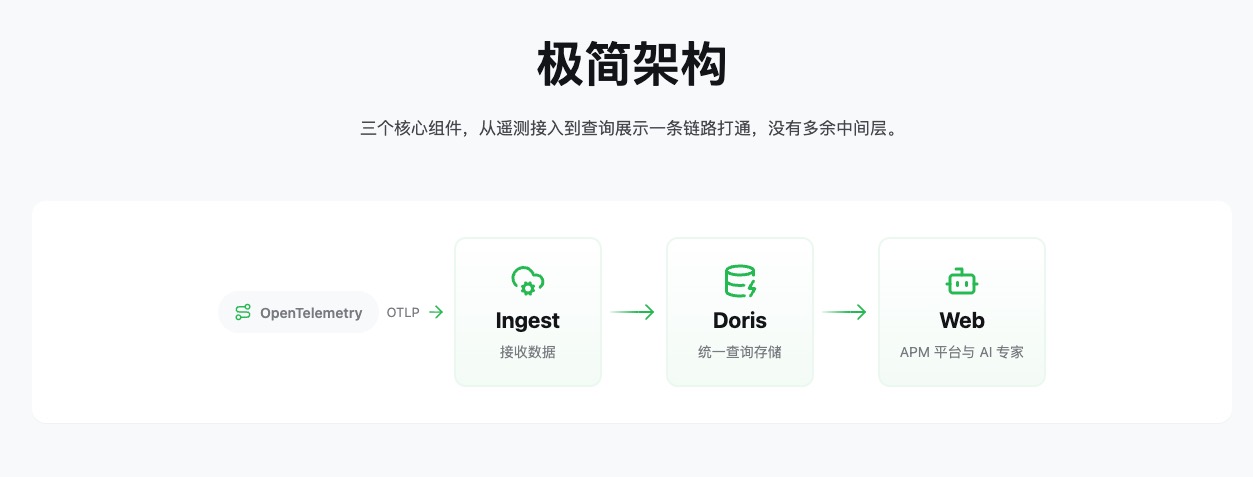
DataBuff is built that way: an open-source, AI-native OpenTelemetry APM. Metrics, traces, and logs land first; AI sits on the same telemetry — not a chat box bolted on. The stack is deliberately three pieces:
Doris — storage and query
AI platform / Web — dashboards, chat, digital experts (Ops Expert, product Q&A)
First, self-healing ops in a common scenario: Doris breaks during install. Many products go fully dark; you SSH and guess. Here's how DataBuff investigates and repairs itself.
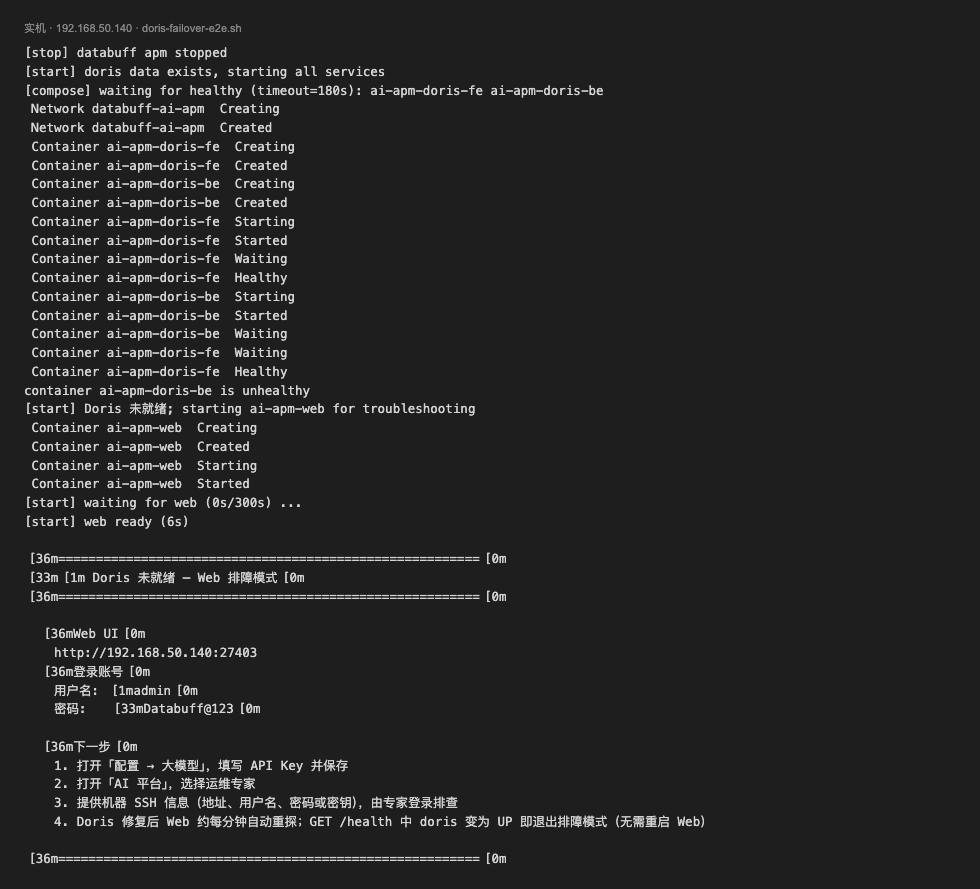
We inject a reproducible fault: Doris BE stuck at mem_limit: 256m, start.sh exits non-zero. The system enters troubleshooting mode — Doris isn't ready, but Web still loads and keeps the repair channel open.
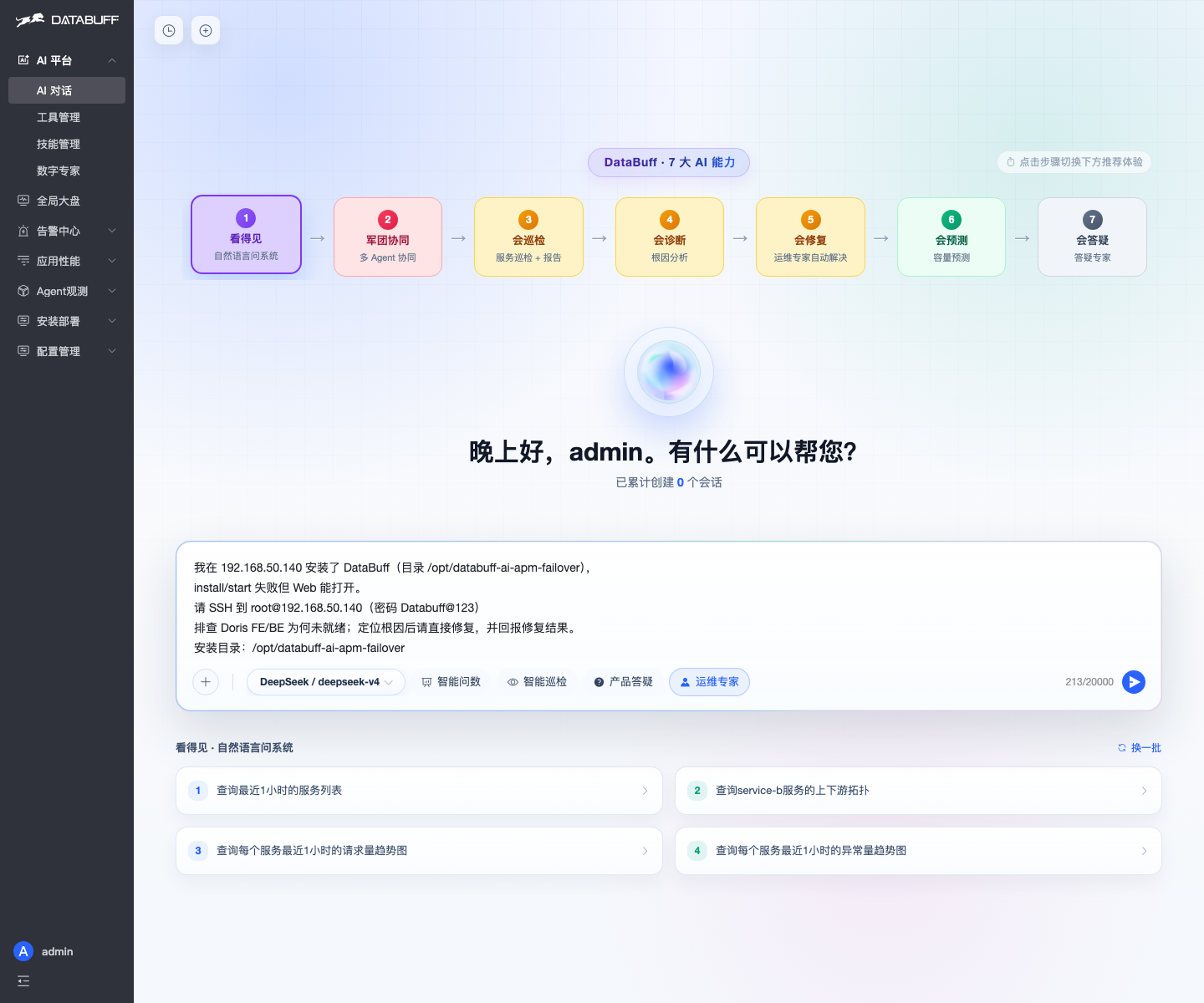
Configure an LLM, open AI chat, pick Ops Expert, grant SSH, and ask for locate-and-fix:
On the host the expert closes the loop: BE keeps Restarting → root cause mem_limit: 256m OOM → raised memory to 4g, persisted config, restarted ingest, validated full-stack Healthy. The report shows fix actions and final health — done, not a todo list.
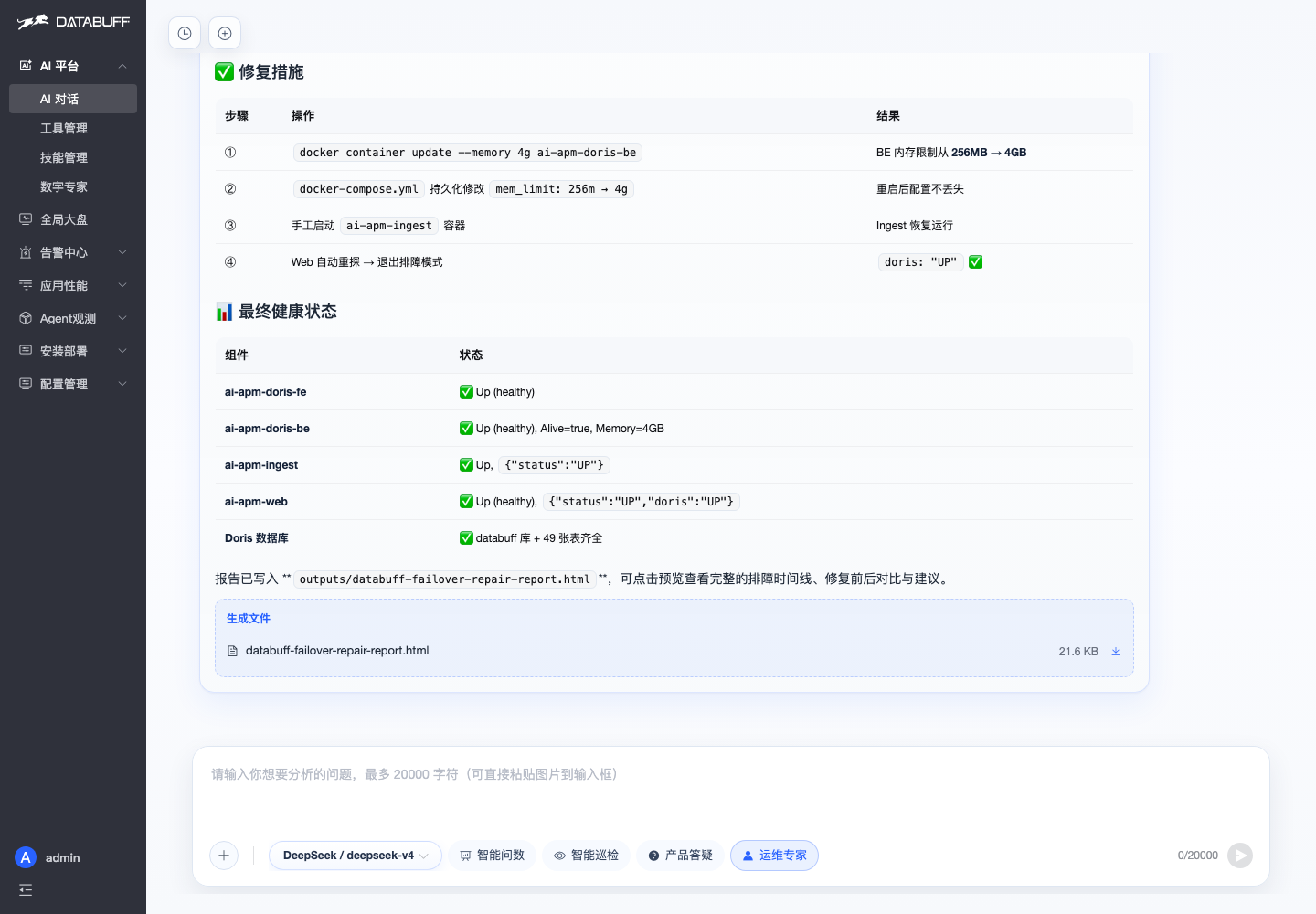
Terminal matches: four containers healthy, Doris SELECT 1 passes. After storage recovers, troubleshooting mode exits automatically — no manual Web restart. "Can't use it" unblocked: broken, but the product still fights and finishes the repair.
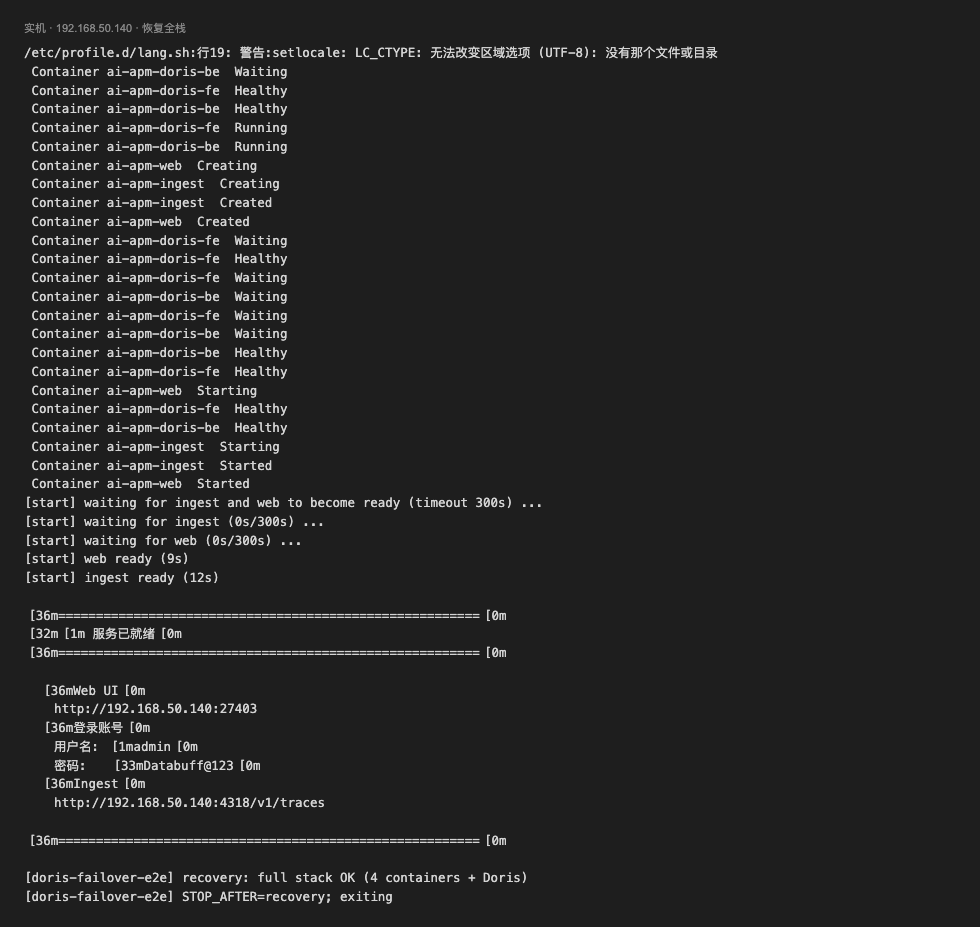
Then in-product Q&A. Storage is back; "don't know how" remains. Same AI entry, switch to product Q&A — onboarding questions on ingest and alerts:
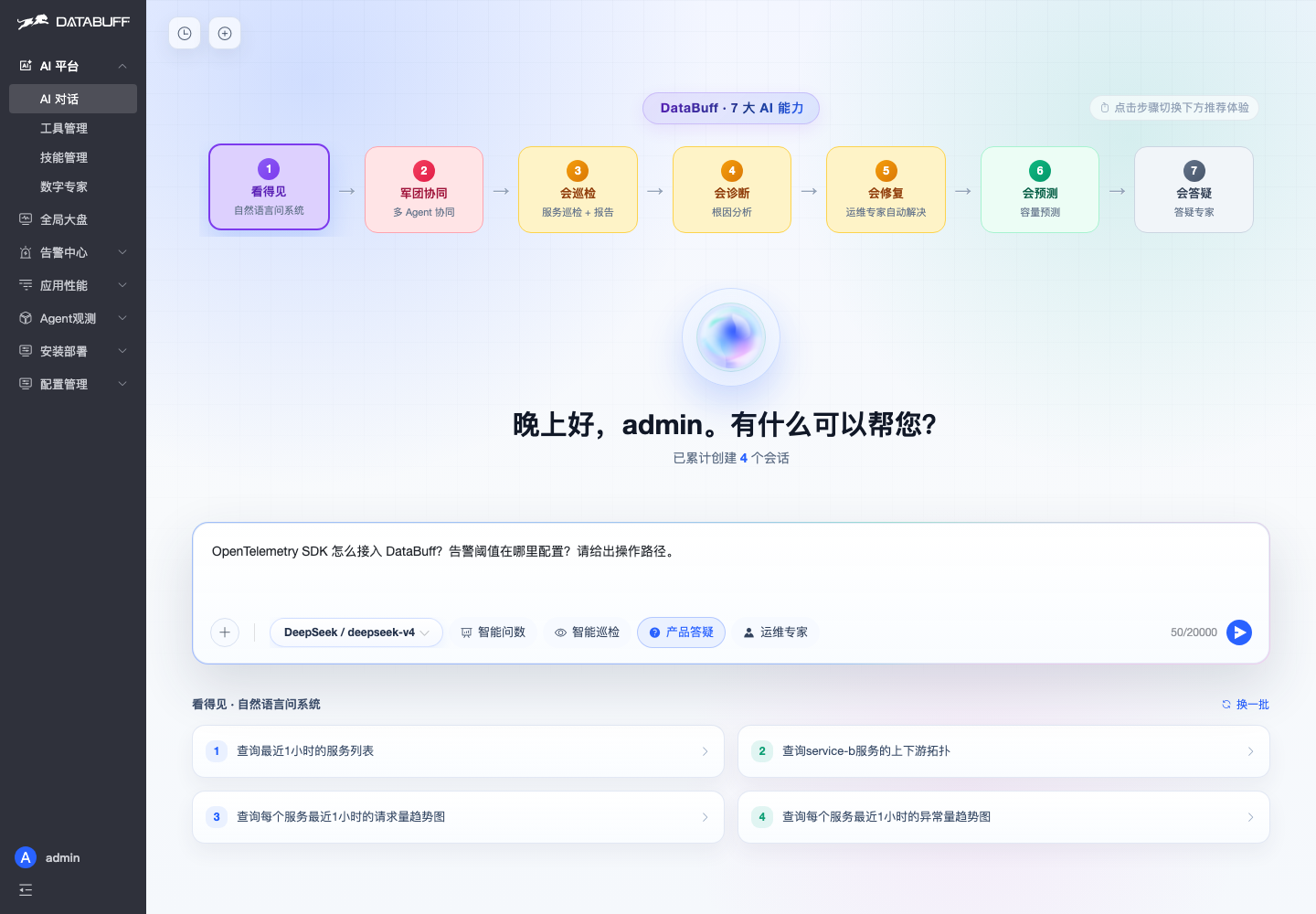
It reads in-product docs and returns executable paths: OTLP endpoints, env vars, Java Agent command, and where alert rules live in config management.
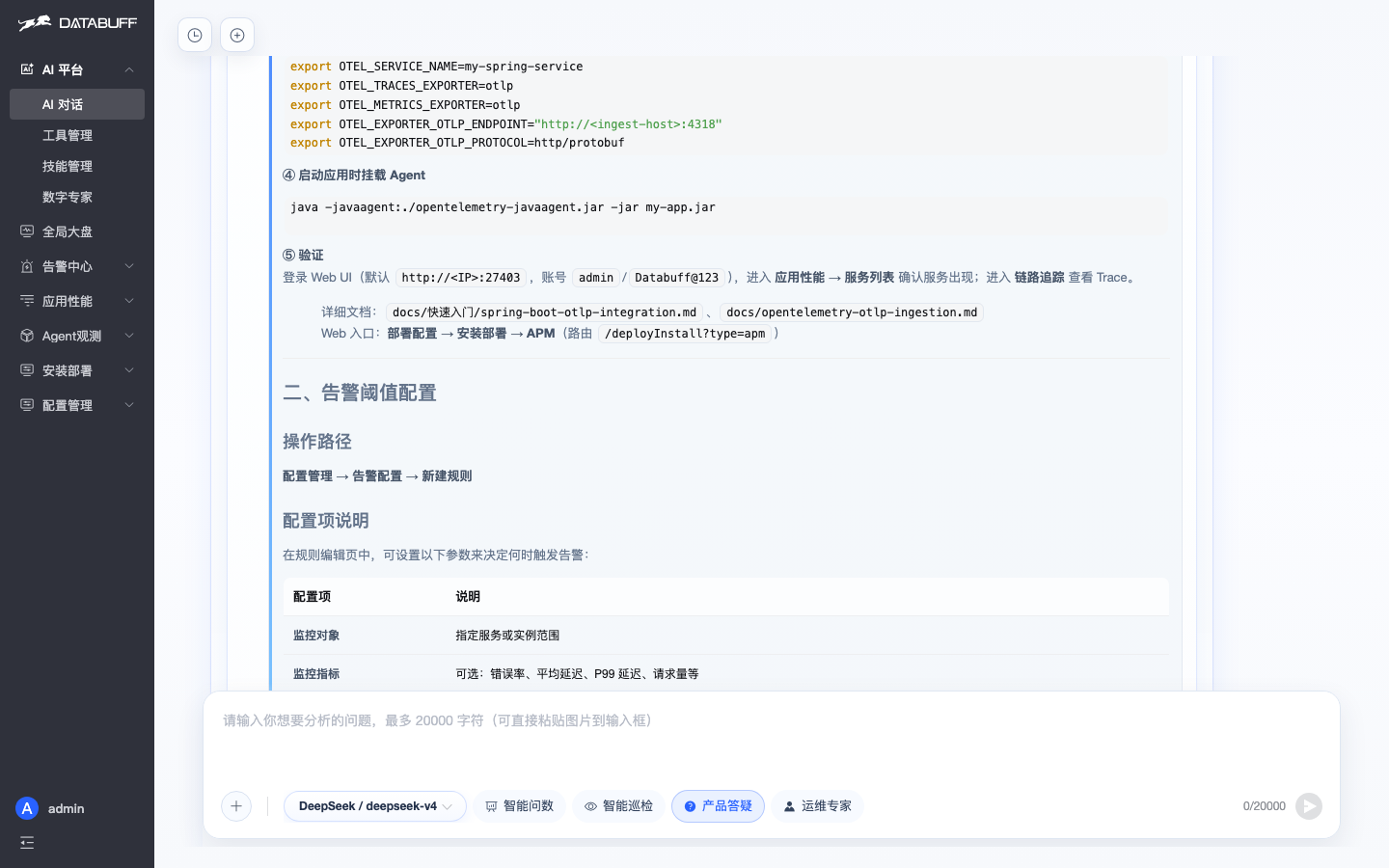
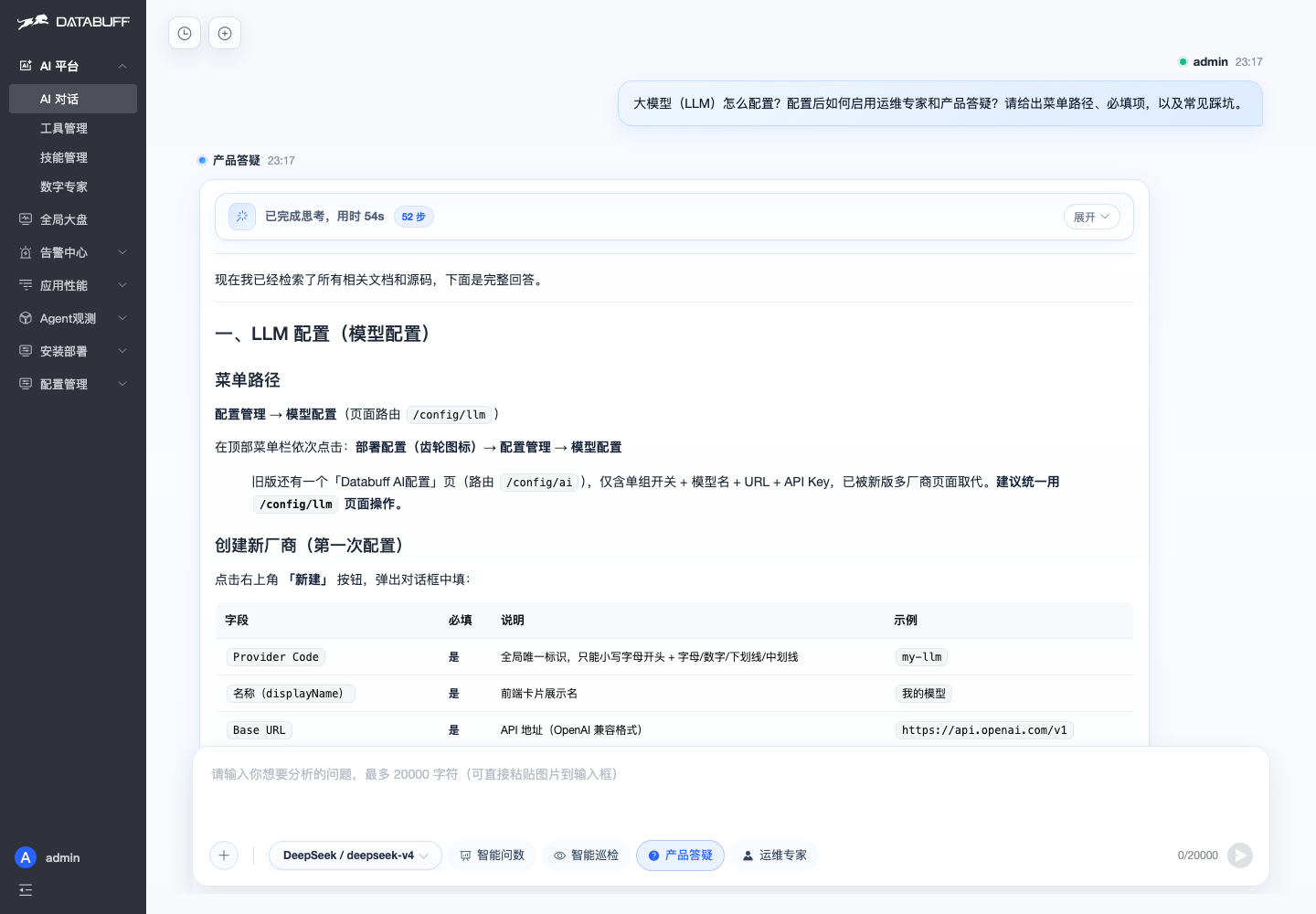
Data flowing isn't enough — Ops Expert and Q&A need an LLM too. A practical follow-up:
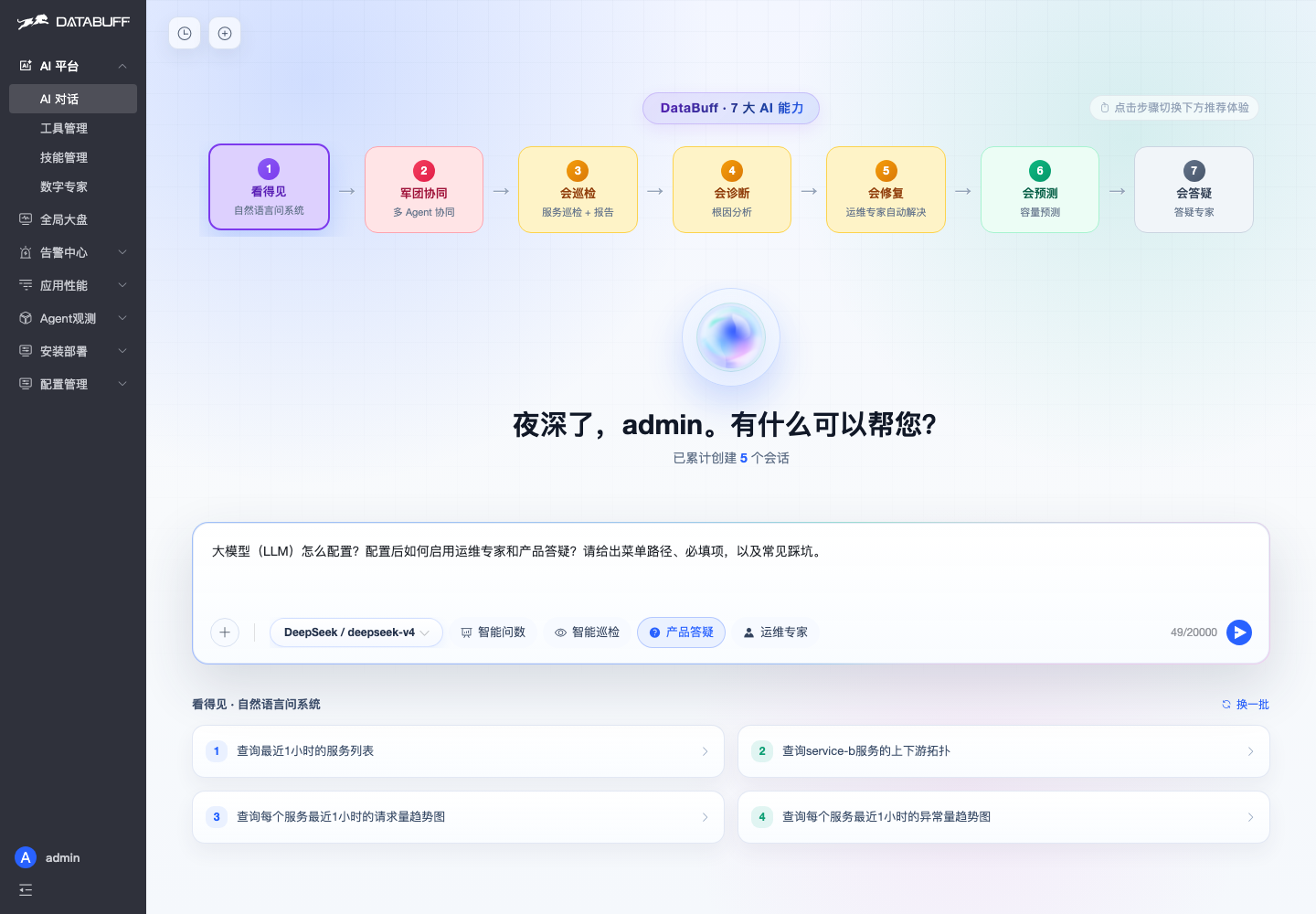
Answers land on menus and fields: Config management → Model config — Provider Code, Base URL, API Key, model list; hit "Test connectivity" before save. Experts work once models are set — plus pitfalls like missing /v1 on Base URL or an empty model list.
Self-healingSelf-Q&ATroubleshooting modeOps ExpertDoris