DataBuff v0.1.8 is ready: log detail is pinned to an ingest-generated log_id (GitHub #73); LLM Trace prompt / completion is no longer a string of \uXXXX; the login footer and sidebar show the Maven build-info version. Remote MCP tools run inside the fat-jar. Versus v0.1.7: 32 commits, schema migration V008 (log_id).
Highlights
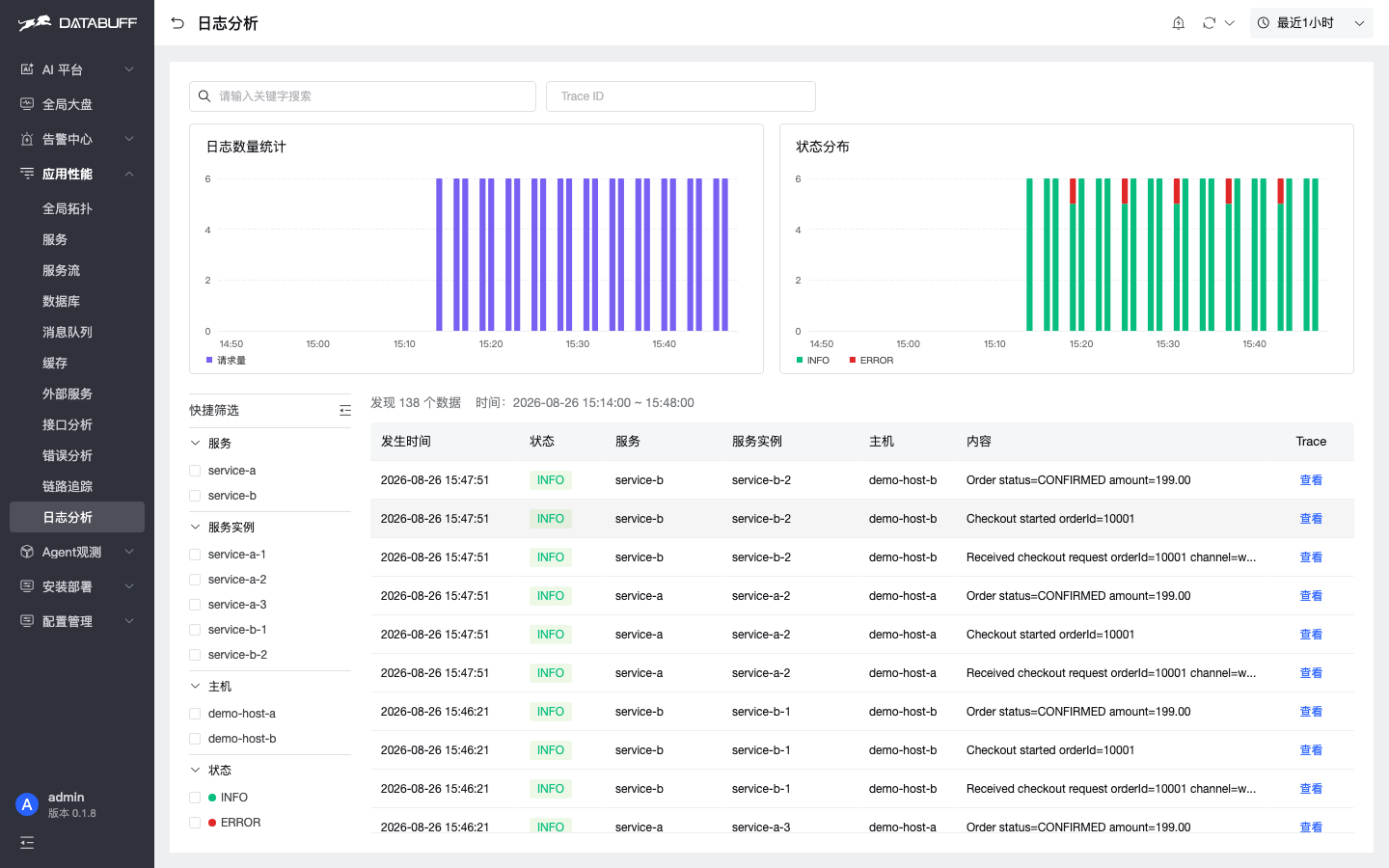
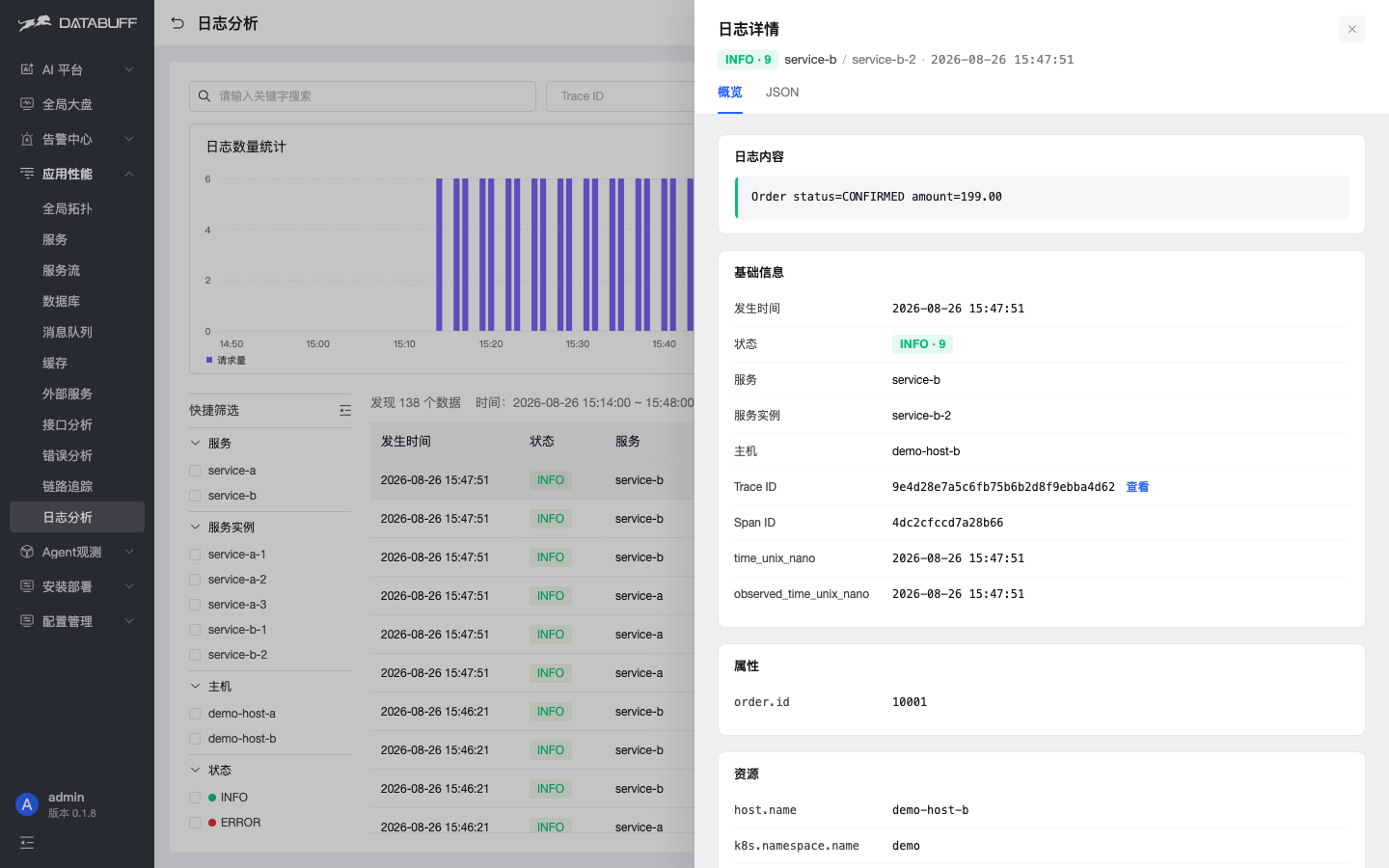
- Log detail pinned to log_id (#73): ingest writes a 32-hex id on every log row; detail queries pin that row.
time_nsis not unique on a DUPLICATE KEY table, so high-QPSLIMIT 1could open someone else's row. Existing rows with empty id still usetime_ns(+service_id). - GenAI / LLM traces readable: spans whose attributes start with
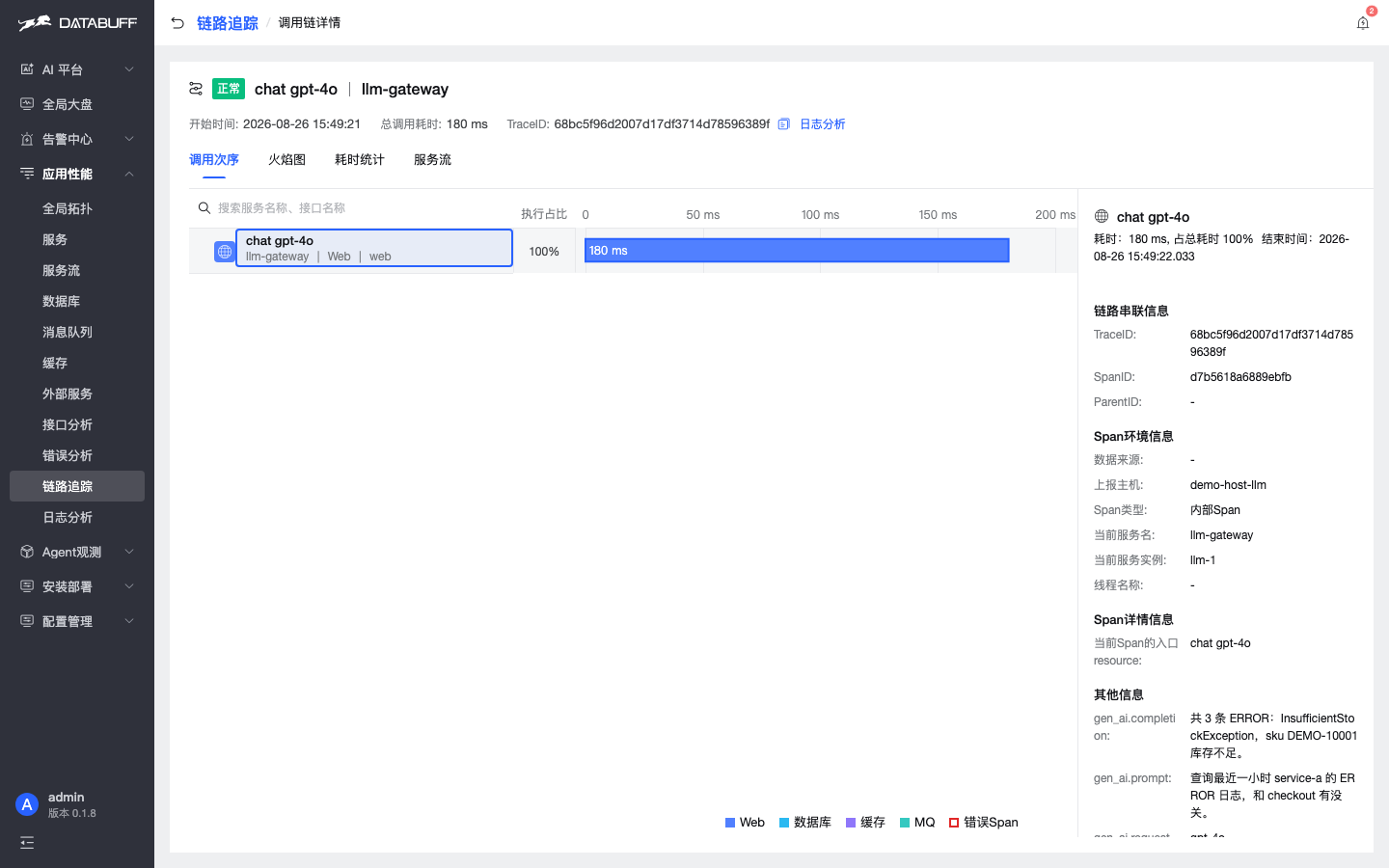
gen_ai./gen.ai./llm.decode unicode escapes at query time. Other spans are untouched. - Product version: Maven build-info on the login footer and sidebar user menu.
- Remote MCP: MCP JSON SPI warmed so remote SSE / Streamable HTTP tools actually run from LLM chat in the fat-jar.
- ResourceIgnoreFilter:
ingest.trace.ignore-resources/ignore-resource-regexnow bind to the filter bean. - SkyWalking SQL normalize: ingest-side SQL standardization aligned with the OTel path.
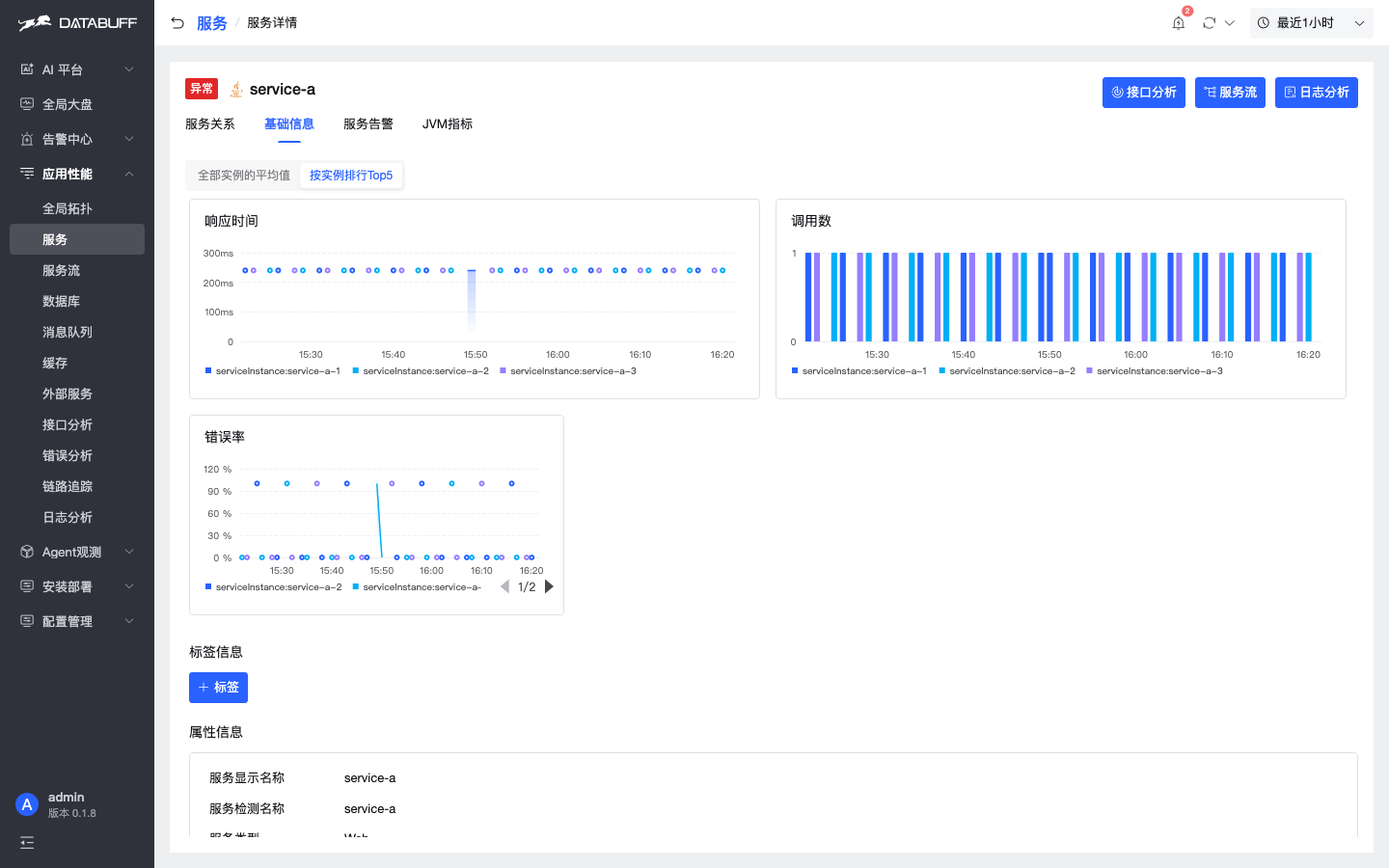
- Instance Top 5: rankings group by
service_instance. - Trace / Logs bar filter: click-to-filter can toggle and reset.
- Docs: Nginx and eBPF ingest how-tos (how-tos, not new product surfaces).
How to use: log detail
After upgrading to v0.1.8, newly ingested logs carry log_id. Opening a row pins that id, then prunes by a time window. Apply V008 before rolling web / ingest — new Web SELECTs log_id.
How to use: LLM traces
If the probe follows the OpenTelemetry GenAI semantic conventions (gen_ai.* / gen.ai.* / llm.*), opening the Trace decodes \uXXXX at query time. There is no separate LLM analysis page in this release.
How to use: version and instances
Login footer and sidebar user menu read Maven build-info. On service detail → Basic info → Top 5 by instance, rankings group by service_instance.
Install & upgrade
Fresh install: Docker install. Existing installs: upgrade & uninstall. Schema migration V008 (log_id + structured alert columns, schema_version → 8) runs automatically. Kubernetes does not support in-place upgrade this release; uninstall then reinstall.
# Fresh install (wipes install dir and data/)
curl -fsSL https://databuff.ai/databuff/ai-apm-install.sh | bash

# In-place upgrade (keeps observational data/)
curl -fsSL https://databuff.ai/databuff/ai-apm-update.sh | bash