
User Guide · External MCP Integration
Attach external MCP services to AI experts and call SkyWalking, Prometheus, Zabbix, and similar capabilities from chat.
Three steps: Register MCP → Bind to expert → Use in chat
To create a new custom digital expert (not just bind to built-in query/inspection experts) and verify full AI Brain auto-routing, see Custom Digital Experts.
① Register MCP Tool
AI Platform → Tool Management → MCP Tools → New MCP
Enter service URL and transport (SSE / Streamable HTTP), then save:
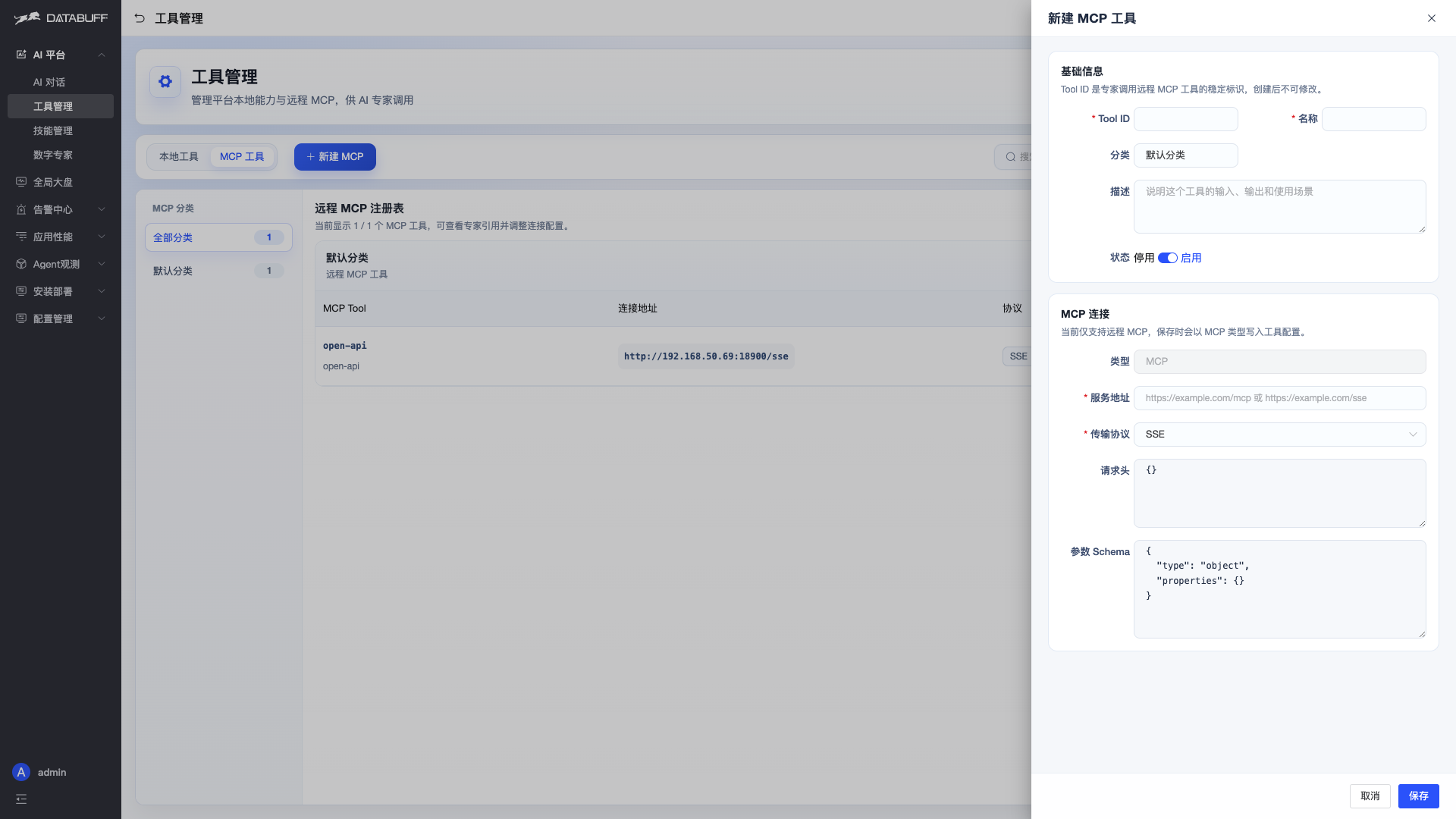
Example:
open-api→http://192.168.50.69:18900/sse, protocol SSE.
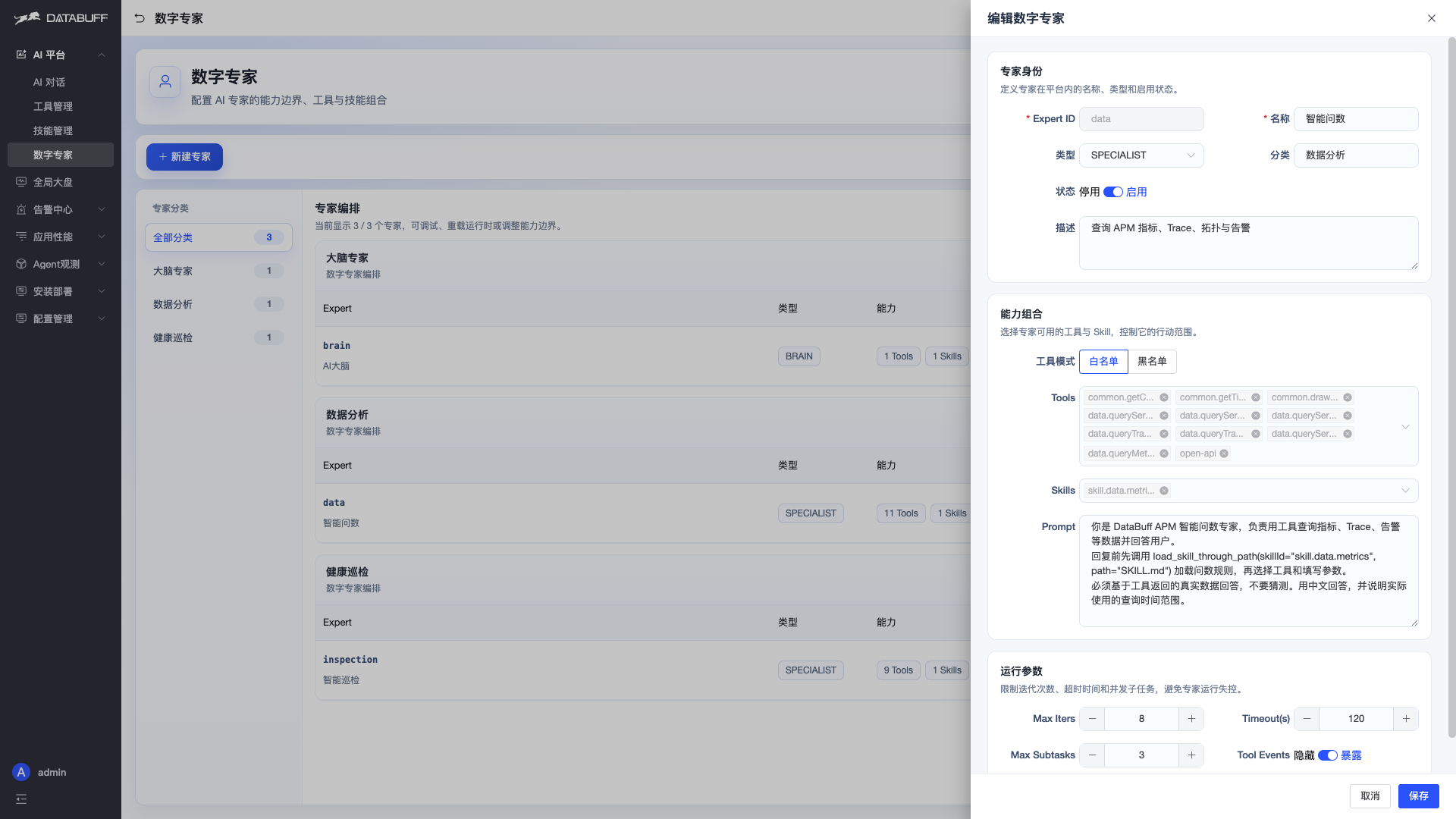
② Bind to Digital Expert
AI Platform → Digital Experts → Edit → Tools — check the MCP Tool ID (e.g. open-api):
③ Use in Chat
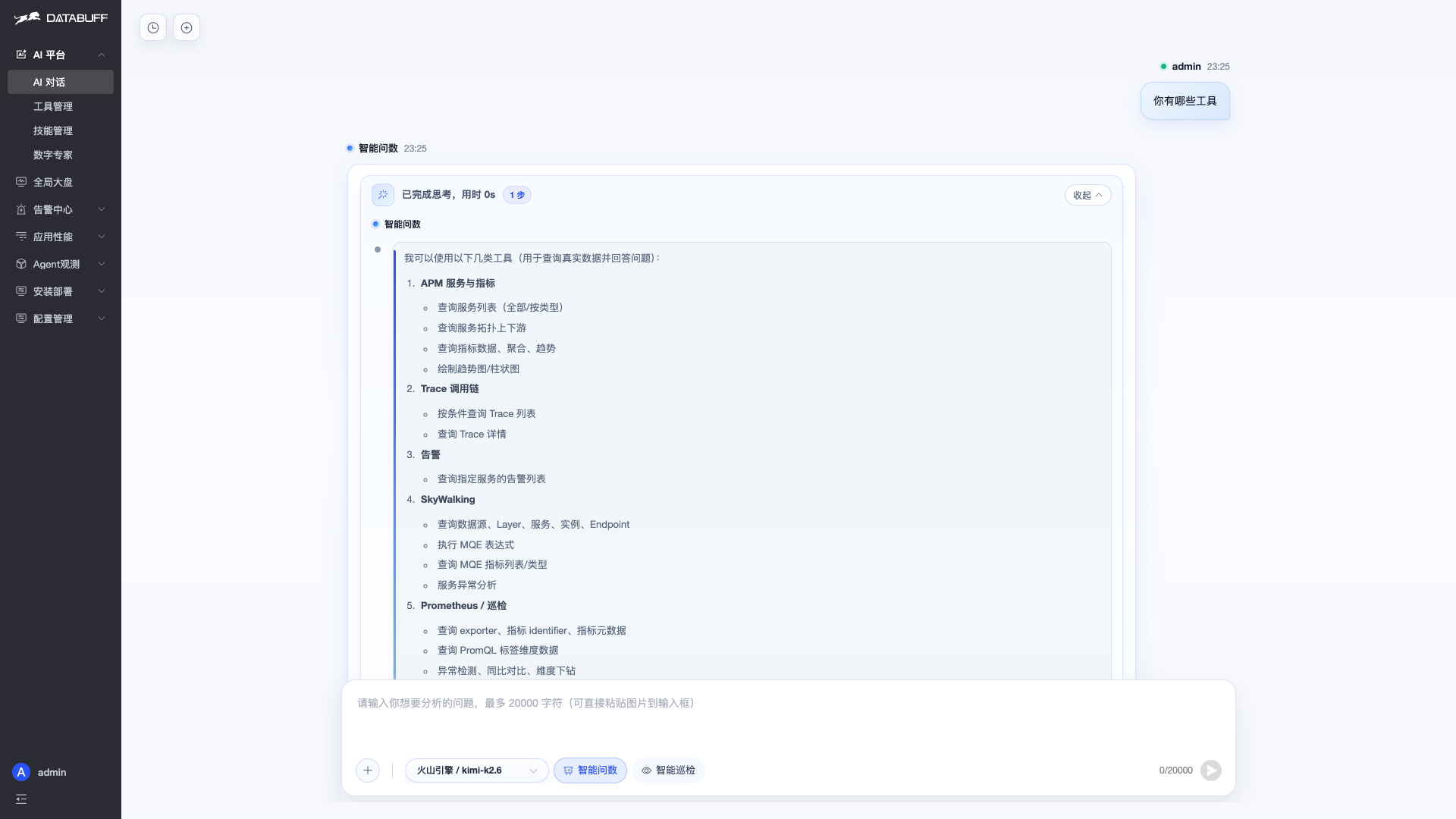
AI Platform → AI Chat — ask directly. The expert will call tools exposed by the MCP.
Ask "what tools do you have?" and the reply lists built-in APM tools plus external MCP tools (SkyWalking, Prometheus, Zabbix, etc.). Expand the reasoning trace to see skill loading and tool calls:
FAQ
| Symptom | Fix |
|---|---|
| Expert does not call MCP | Ensure tool is enabled and expert Tools includes the MCP |
| Connection failed | Verify URL/protocol; confirm backend can reach MCP service |
| Config change not applied | Save, then start a new chat |
Transport: SSE uses the /sse endpoint; Streamable HTTP uses the HTTP streaming endpoint.