
DataBuff v0.1.3 focuses on three things: native SkyWalking gRPC ingest (no Agent swap), Ops Expert install recovery and read-only SSH troubleshooting, and verified in-place upgrades — built for teams already on SkyWalking and for installs that exit non-zero while the UI still opens.
Highlights
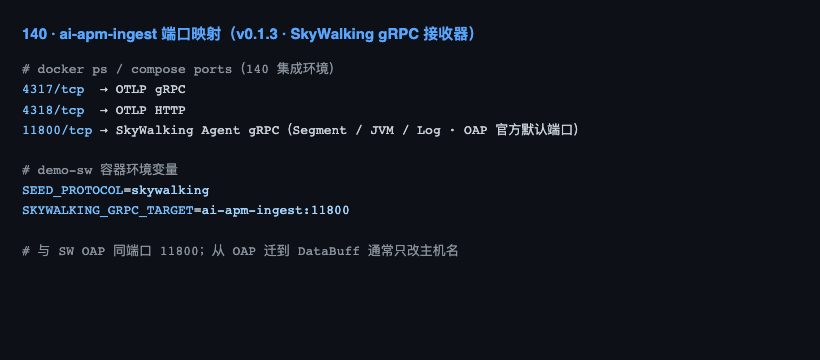
- Native SkyWalking ingest: ingest listens on 11800 (OAP default); Java only changes
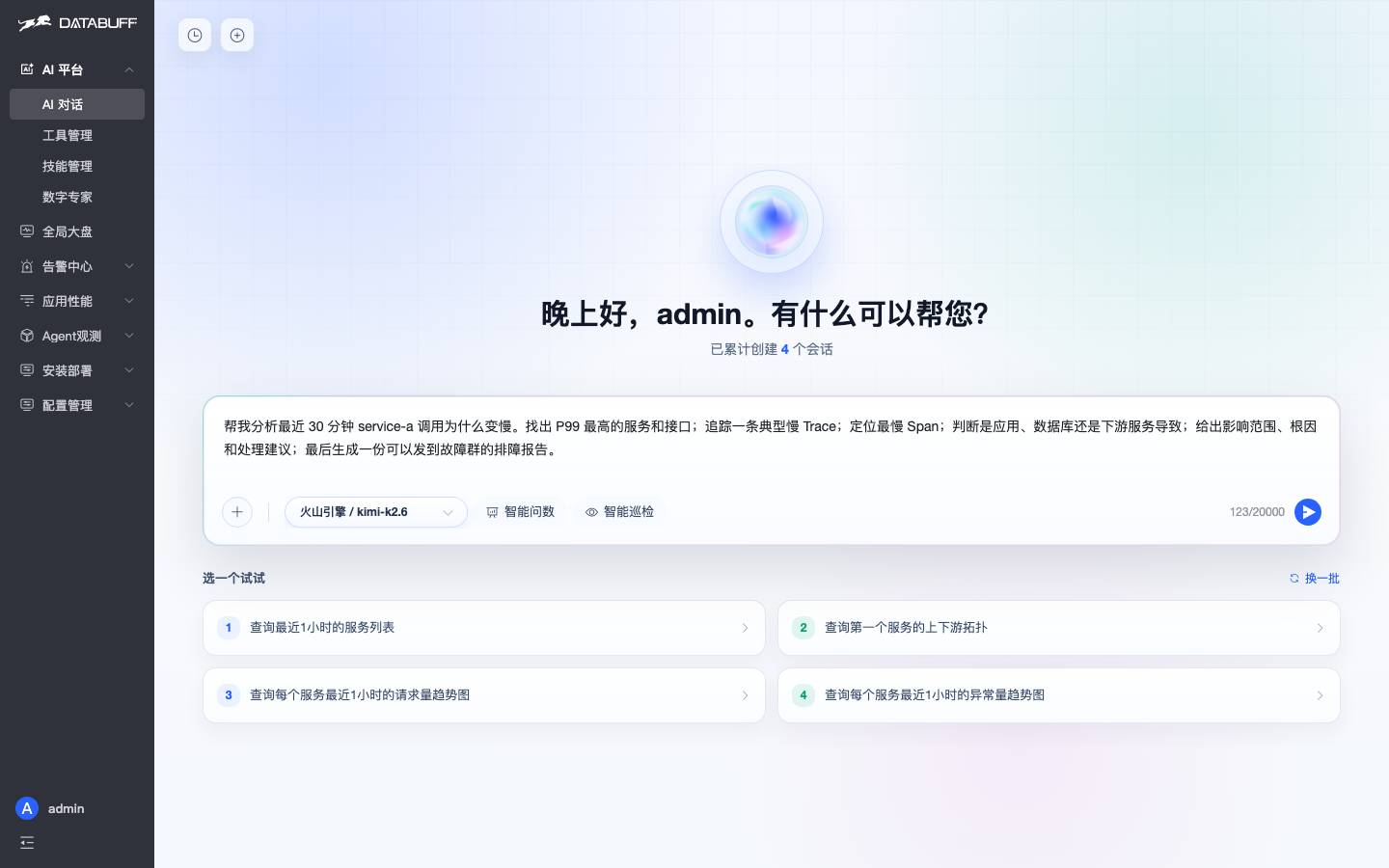
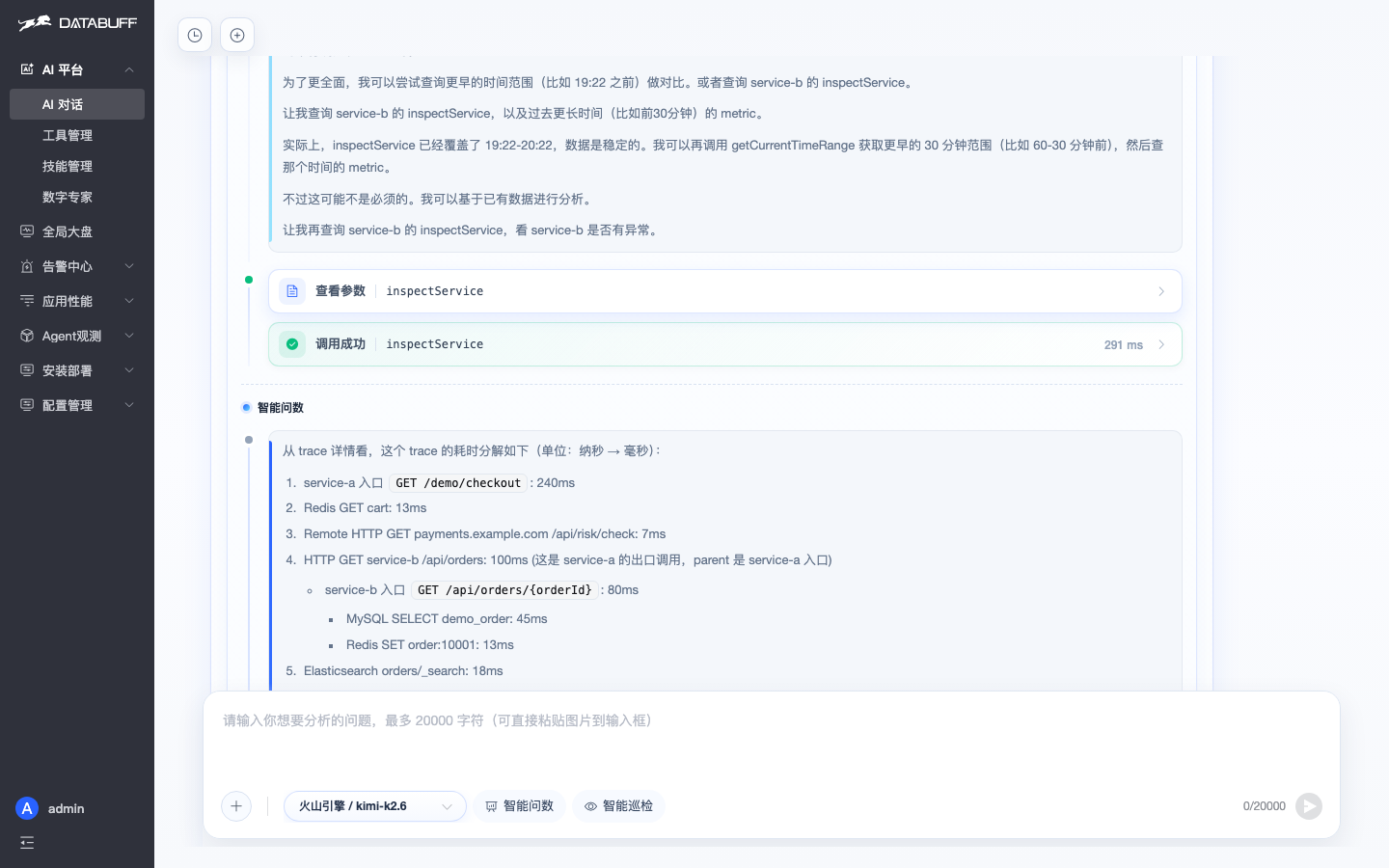
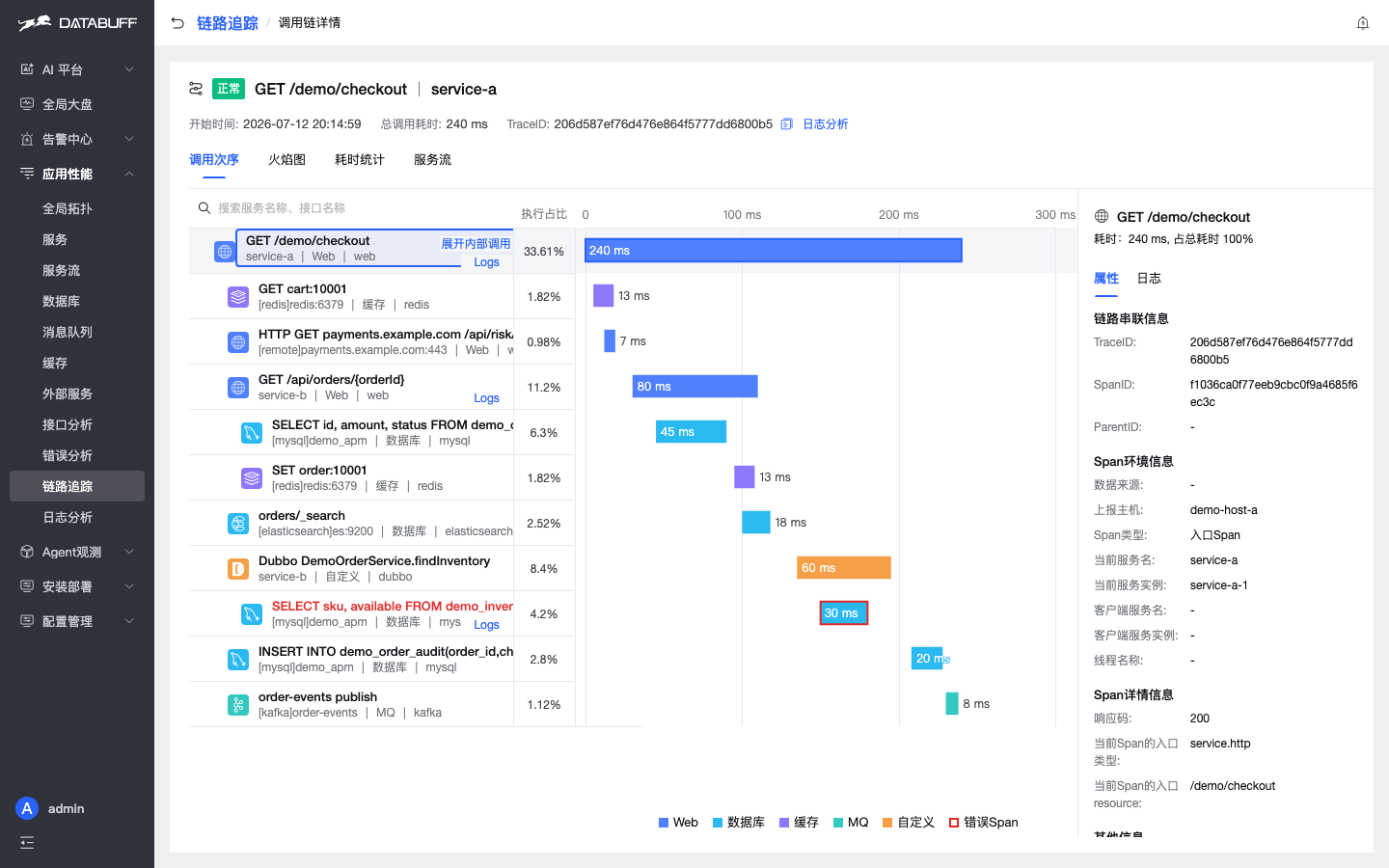
collector.backend_service. - Ask why checkout is slow: natural-language questions return traceId and bottleneck spans without browsing the Trace list first.
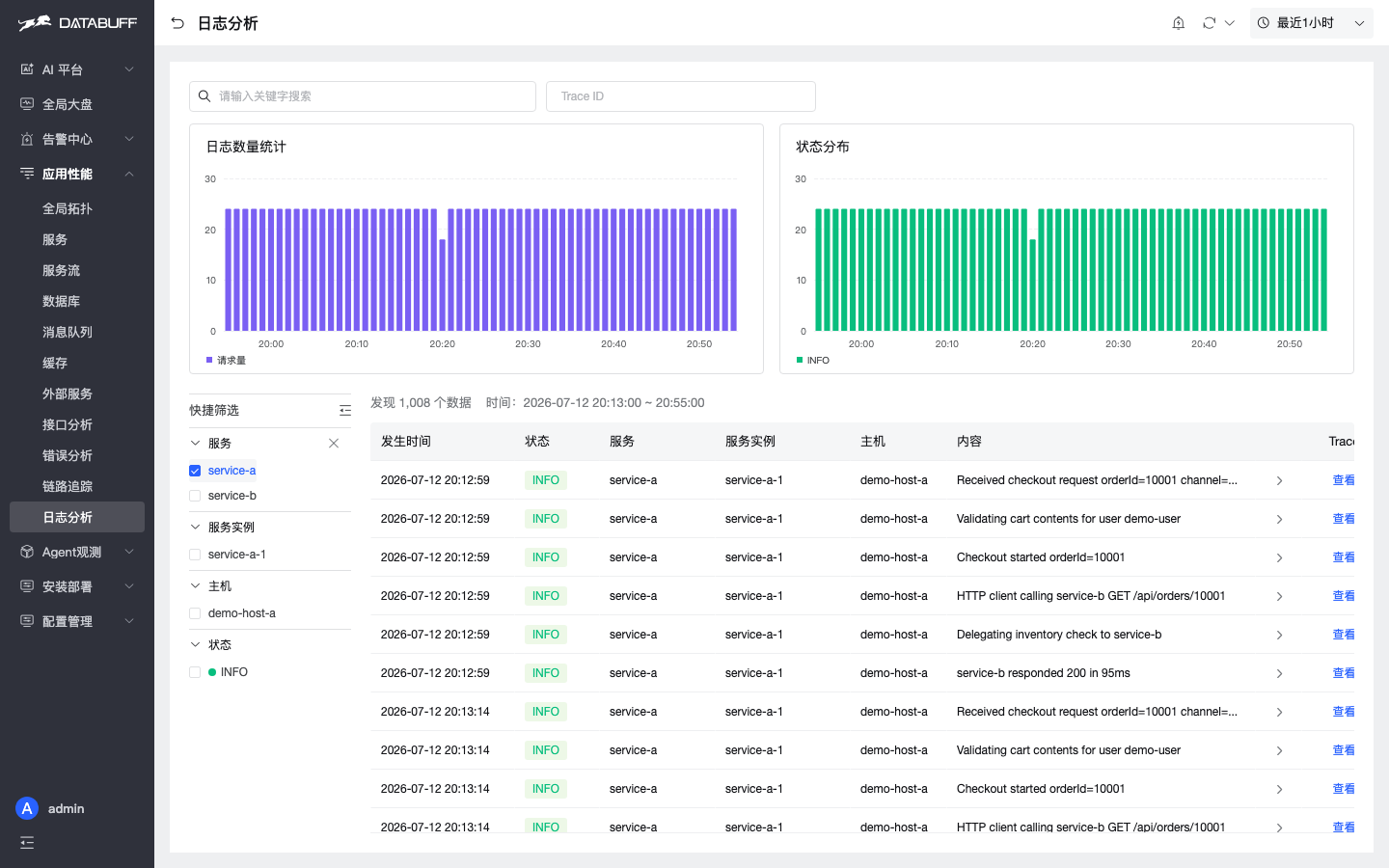
- Logs link to traces: one click from a log row to the full call chain.
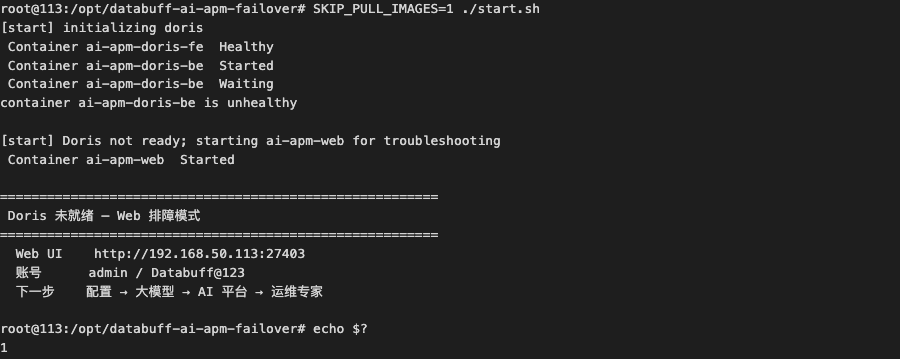
- Ops Expert · troubleshooting mode: when install exits non-zero, Web still opens; configure an LLM and let Ops Expert recover Doris over read-only SSH.
- Ops Expert · on-host checks: align container/host evidence with slow spans — complements telemetry-only AI.
- In-place upgrade: upgrade scripts keep
data/intact; amd64/arm64 offline packages ship for 0.1.3.
Keep your SkyWalking Agent
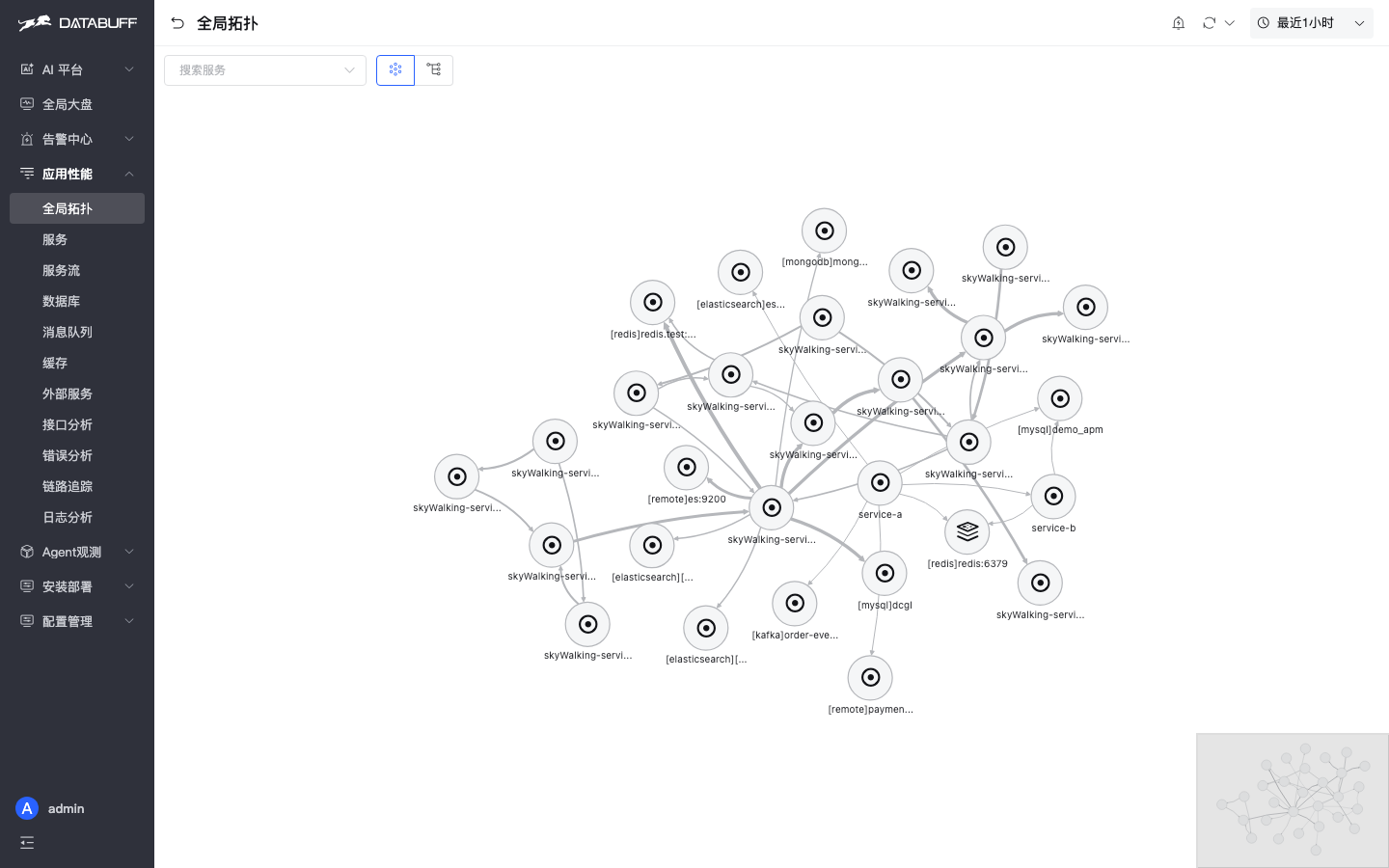
Ingest listens on SkyWalking gRPC port 11800. No Agent jar swap — topology, traces, JVM metrics, and log correlation work the same as the OTLP path.
Checkout latency: ask once, get an answer
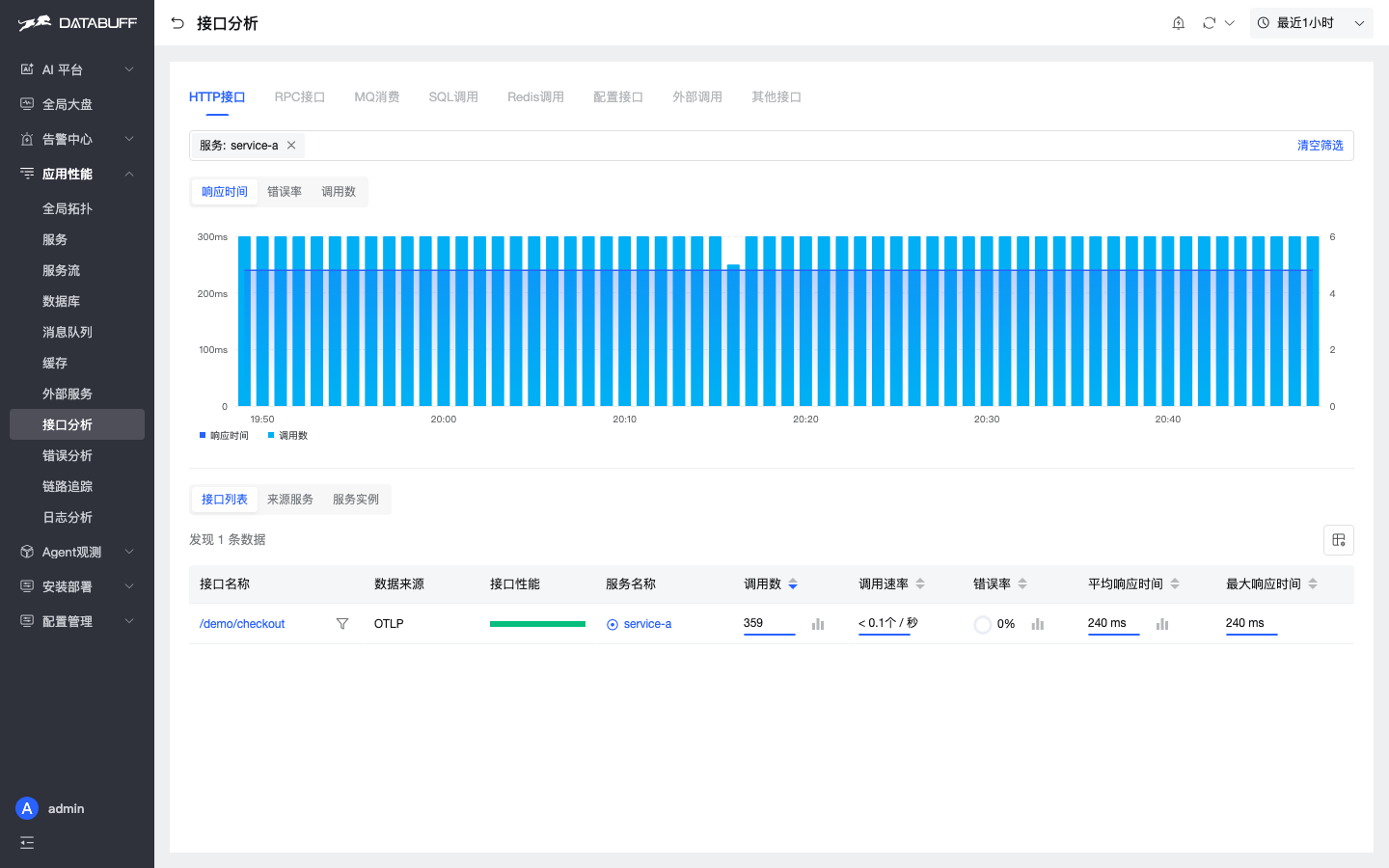
Demo scenario: GET /demo/checkout P99 around 240ms. After ingest, troubleshooting shifts from browsing traces to asking AI.
Ops Expert: install failed, UI still opens
When install.sh / start.sh exits non-zero and Doris FE/BE are not ready, Web enters troubleshooting mode: configure an LLM API key, pick the built-in Ops Expert, and recover containers over read-only SSH.
Ops Expert: no OTel data — conclusion in minutes
For missing OTel data, container restarts, port conflicts, and similar chores, Ops Expert runs read-only Bash + SSH to align host evidence with what APM shows.
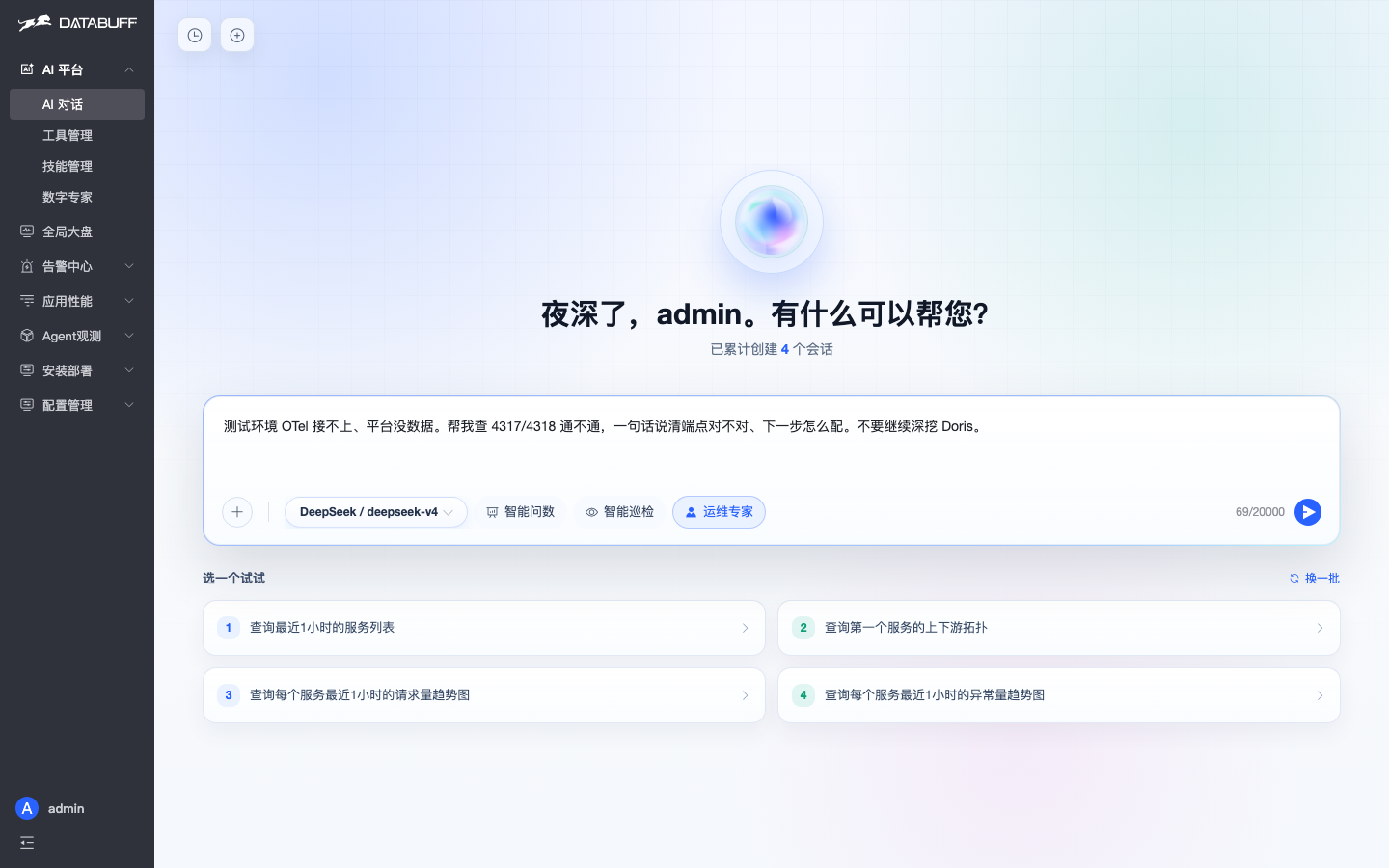
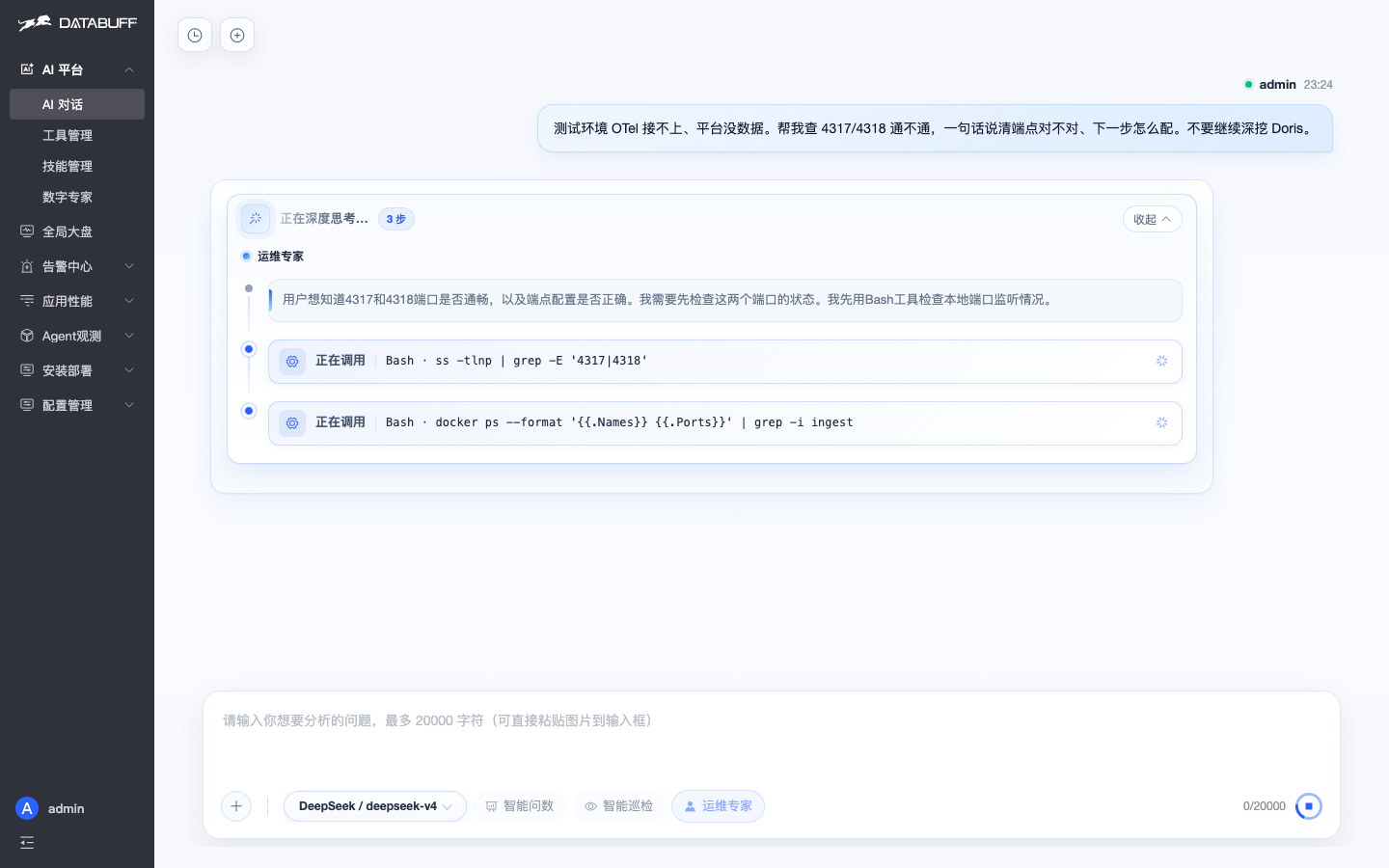
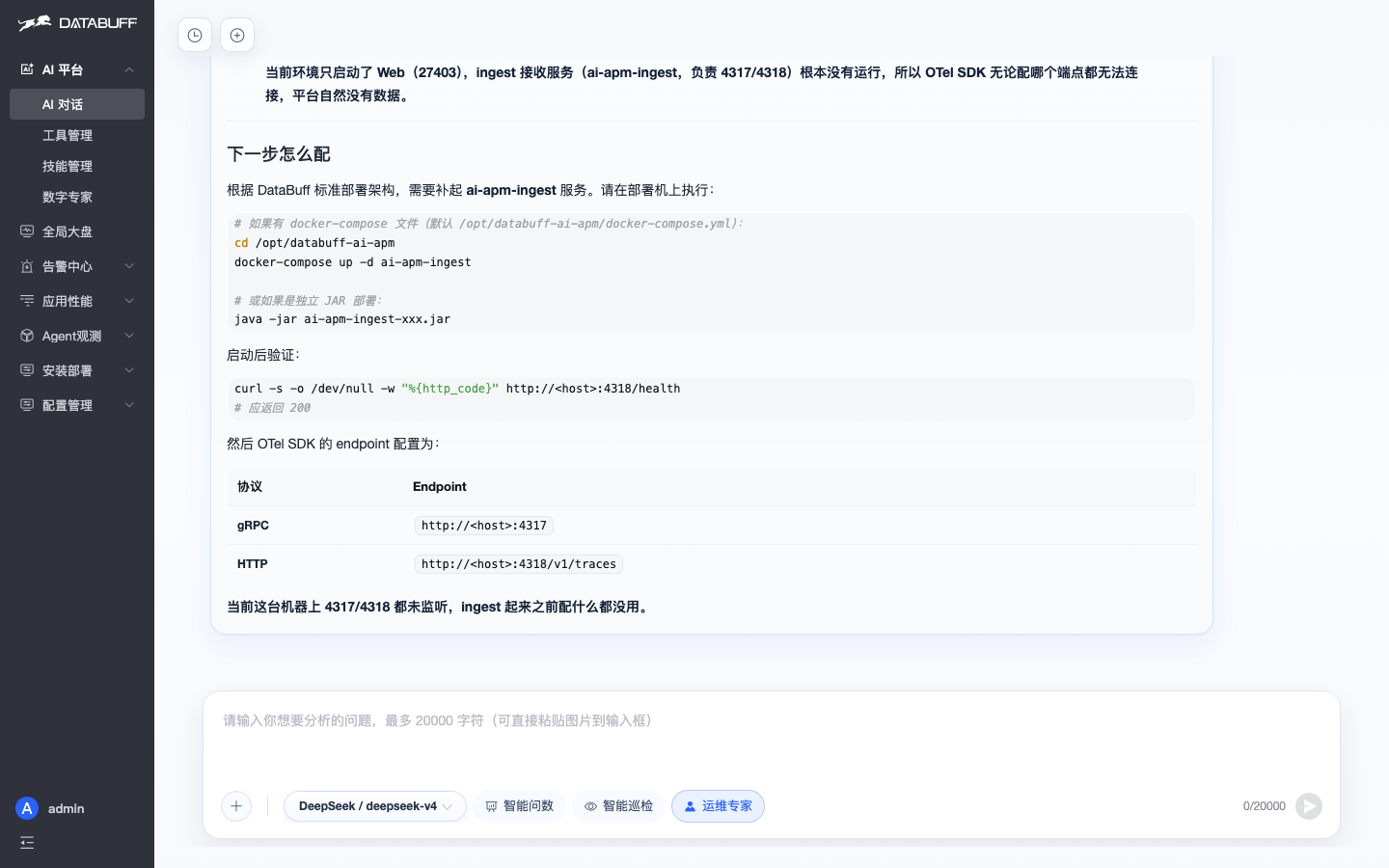
Full SkyWalking walkthrough: native ingest deep dive. Five Ops Expert scenarios: runtime troubleshooting playbook.
Install & upgrade
New install: Docker installation. Upgrade an existing deployment: Upgrade and uninstall.