
DataBuff v0.1.5 is ready: ingest hardening, full OTLP compression, on-demand log detail drawer, Mermaid in AI chat, and resource-based span filters. Relative to v0.1.4: 25 commits / 394 files.
Highlights
- Write throughput: Under matched business load, write throughput is on par with SkyWalking. DataBuff uses less CPU; SkyWalking uses less memory. Full benchmark report →
- OTLP compression: gzip, snappy, zstd on gRPC/HTTP; default Collector gzip works out of the box.
- Resource ignore filters: drop spans by exact resource name or regex before enrich/persist.
- Log detail drawer: lightweight list; click a row to load full fields on the right.
- AI Mermaid: stable topology/flow rendering in chat.
- Schema V005: dynamic-partition buckets 16→3 (metadata only, no historical rewrite).
Log detail drawer
Go to Application Performance → Log Analytics. Click any row to open the right-side drawer with full fields on demand.
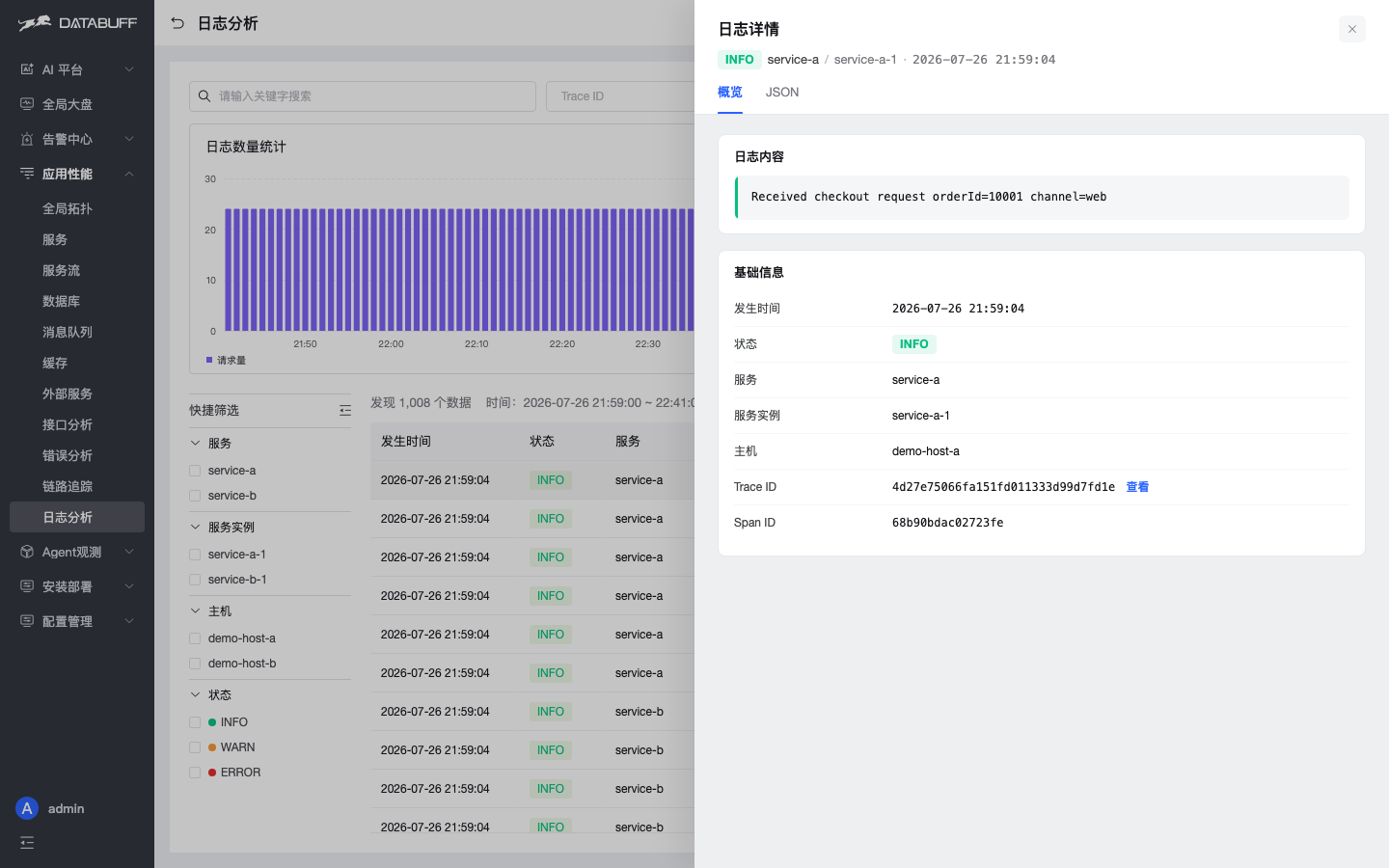
Fig. 1 · Overview: body, metadata, Trace link
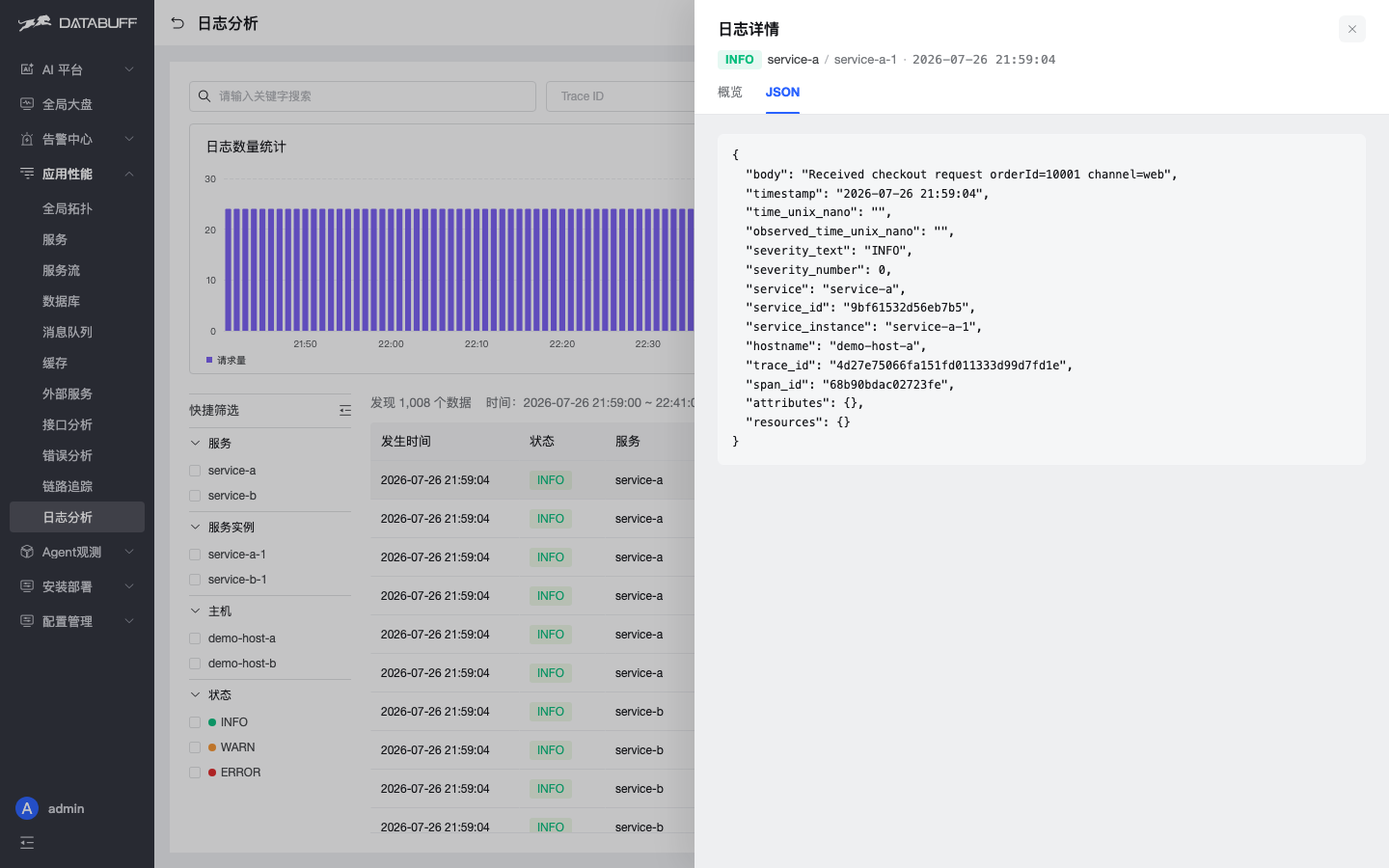
Fig. 2 · JSON tab: full structured fields
Mermaid in AI chat
Experts can answer with ```mermaid blocks; the UI renders SVG topology/flowcharts automatically.
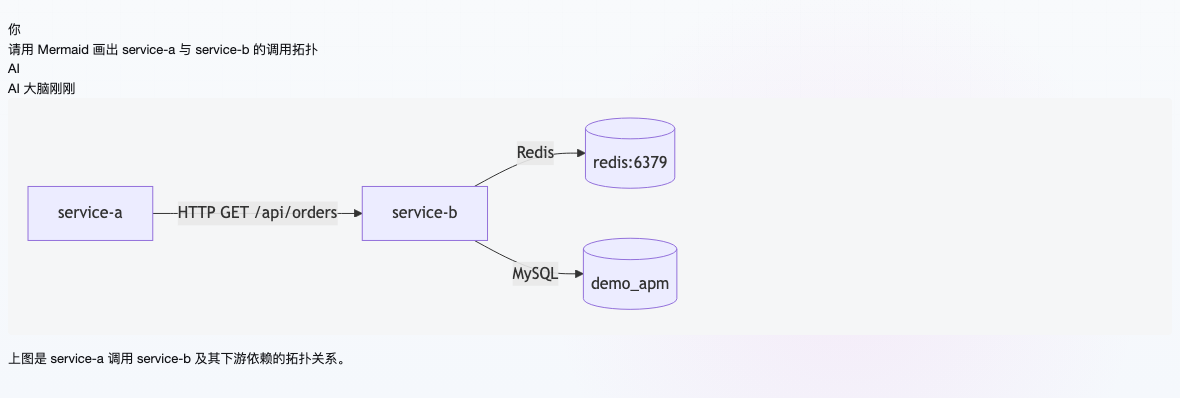
Fig. 3 · Mermaid flowchart in chat
Resource ignore filters
ingest:
  trace:
    ignore-resources:
      - PING
      - /actuator/prometheus
    ignore-resource-regex:
      - ^/actuator(/.*)?$
      - ^SELECT 1$
Then docker compose up -d ai-apm-ingest. Look for Span resource ignore filter enabled in logs.
OTLP compression
Ingest now accepts gzip, snappy, zstd (HTTP also zlib/deflate/lz4). See OpenTelemetry OTLP ingestion.
Install & upgrade
New install: Docker installation. Upgrade an existing deployment: Upgrade and uninstall.